From the first frame to video: write a visual brief Kublaro can actually make
Start with a still you would approve, then describe only the motion you need. A six-line brief plus where to click in Kublaro Studio.
October 6, 2026
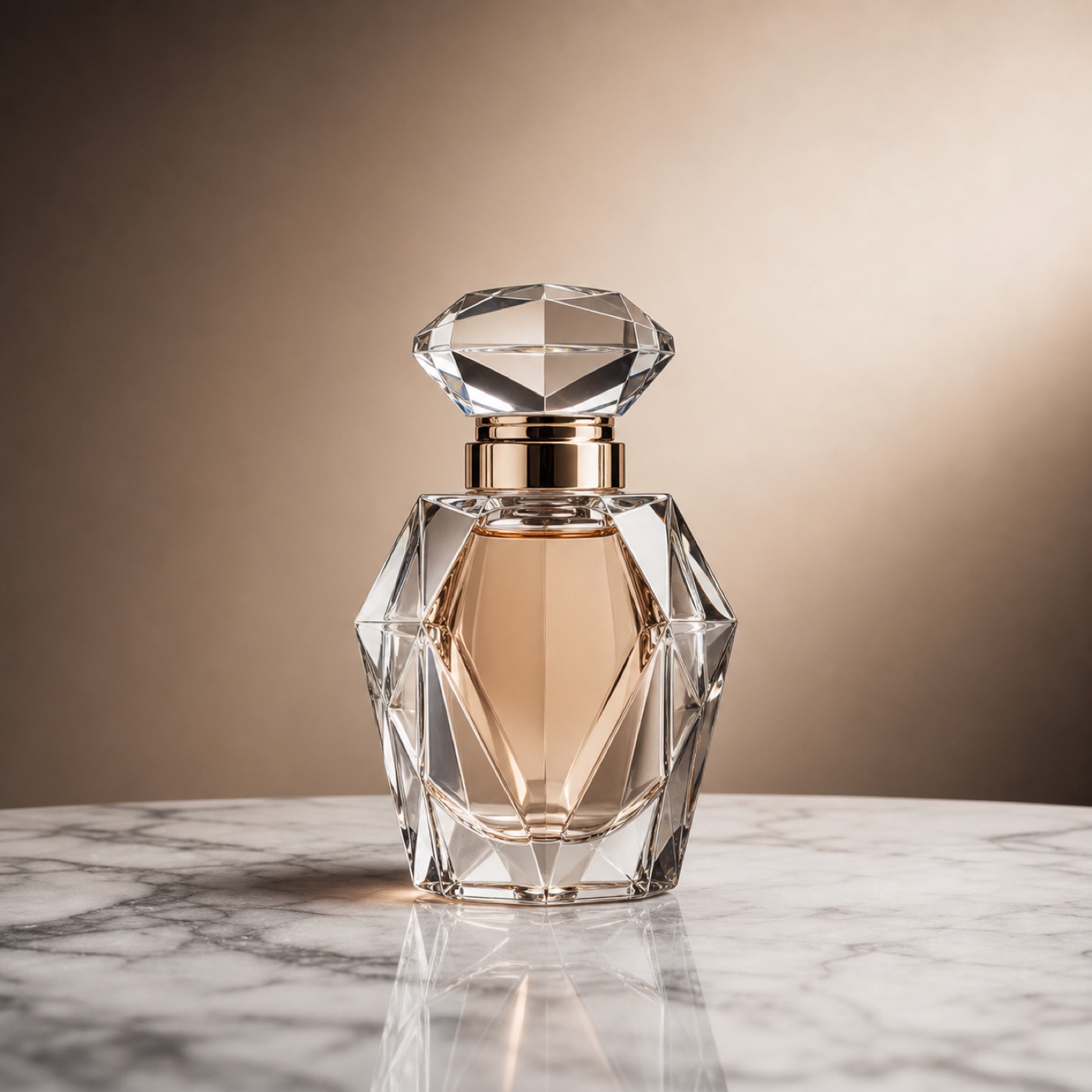
If you start directly in video, you are deciding the subject, framing and motion at the same time. That is an expensive place to discover that the product is too small, the label is unreadable or the empty space you needed for type has disappeared. Approve the still first. Then ask for one deliberate movement.
That sequence matches the way Kublaro is organized. You describe the result, the Studio shows a credit quote before generation, and images and video stay in one library. You can make an image, bring it to motion, and finish the handoff in the built-in editors without turning a short idea into a hunt through model names.
The six lines that keep a brief usable
Write these six lines before you open Studio. They are short enough to reuse, but specific enough for someone else to review.
- End use and size: say where the asset will play, whether it is vertical or horizontal, and how long the clip should be. The current video cards show MiniMax H3 Max Turbo at 5–15 seconds and 1080p without audio, Seedance 2.5 at 4–30 seconds and 720p with audio, and Kling 3.0 Pro at 3–15 seconds and 1080p with audio. Treat those as the current choices shown by Kublaro; confirm the duration, resolution and credit estimate in Studio before you send.
- Locked still: name the subject, background, light and camera position. “Perfume bottle on marble, studio key light” is a useful starting pattern from the homepage; add the framing you would actually approve, such as eye-level, centred, with room for type above.
- What moves, what stays: choose one visible movement. A liquid shimmer, a slow push-in or steam rising is enough. If the bottle, camera, background and light all move at once, you have made the result harder to judge.
- Start and end frames: if you are animating a photo, write both states. Start with the bottle centred and the label readable; end with the same composition, only ten percent tighter. An end frame gives the motion a destination instead of asking it to wander.
- Edit plan: decide what happens after generation. You might clean the background, relight the still or retouch by typing, then open Photocraft for still-image work or Filmcraft for a timeline and MP4 export.
- Rights and assets: use your own product photo or licensed footage. Paid plans currently include commercial usage rights for generated output, subject to the current terms, applicable law and any third-party rights in your source assets or prompts.
The first line prevents a beautiful result from being delivered in the wrong shape. The second and third make the frame judgeable. The fourth tells the model what continuity means. The last two keep the result usable after generation rather than merely attractive in a preview.
A worked brief, clearly labelled as hypothetical
Imagine a small skincare shop needs an eight-second silent loop for a product page. This is an illustrative brief, not a tested customer result:
End use and size: 8-second horizontal loop, silent, product-page hero.
Locked still: amber bottle on white marble, soft key light from the left, eye-level, centred with breathing room around the label.
What moves, what stays: a slow push-in; the bottle, label and marble stay stable.
Start and end frames: start wide; end ten percent tighter with the label still readable.
Edit plan: clean the background in Photocraft, animate the approved still, then trim the loop in Filmcraft.
Rights and assets: use the shop’s own bottle photo and make no unverified product or performance claims.
Notice what is missing: no request for “premium,” “cinematic” or “viral” on its own. Those words can be useful as a mood note, but they do not tell a reviewer what to check. “Soft key light from the left” and “label stays readable” do.
Put the still through the right Studio mode
Start in Create image. The current homepage shows image options from 0.3 credits, depending on the model and settings, and the Studio quotes usage before you generate. Keep the frame you would approve as a photo; do not animate every candidate just to find out which composition works.
When the still is ready, choose Video for text-to-video, or Animate a photo when the approved still should remain the visual anchor. Use the video controls to check duration, resolution and the credit estimate. MiniMax H3 Max Turbo fits a short silent clip, Seedance 2.5 gives you a longer take with audio, and Kling 3.0 Pro is the current option to consider when multi-shot direction or start-and-end-frame control matters. These are routing choices, not promises about a particular generated result.
If the still needs a change, Edit by typing keeps the instruction close to the asset. Ask for one correction at a time: remove a reflection, open the crop, or move the subject away from the headline area. Make the frame stable before you spend credits on motion.

Finish the handoff instead of starting over
The useful boundary between image and video is not the moment generation ends. It is the moment you can explain what is approved, what is still being edited and which version belongs in the final project. Keep the locked still, the motion instruction and the end-frame note together. That small record makes a later revision much less ambiguous.
For still work, use Photocraft. For cuts, timing and MP4 export, use Filmcraft. If the asset needs a palette, type system or reusable layout, set that direction in Kublaro’s brand or document modes before making a collection of variations. The goal is one visual decision carried through several formats, not a new prompt for every deliverable.

There is also a useful stopping rule: if the still is weak, motion will not repair its composition. Go back to the image brief, simplify the subject or light, and make a frame you would willingly publish. If the still works but the clip does not, change one motion instruction or one end-frame constraint instead of rewriting the whole brief.
A practical next step
Copy the six lines into your project notes, fill them in for one real asset, and open Create image. When the still is approved, choose Animate approved still or open Video. Review the credit quote in the Studio. Nothing runs until you press send.
Start with your still — Create image
Animate approved still · See plans and credits · Read how Smart Routing works
Make it with kublaro
Describe anything and generate stunning images in seconds; then bring them to motion with the best AI video models.