Best AI Model for Text in Images
Some AI models spell words right and keep logos crisp — kublaro routes your text-heavy prompt to whichever one does it best today.
June 16, 2026
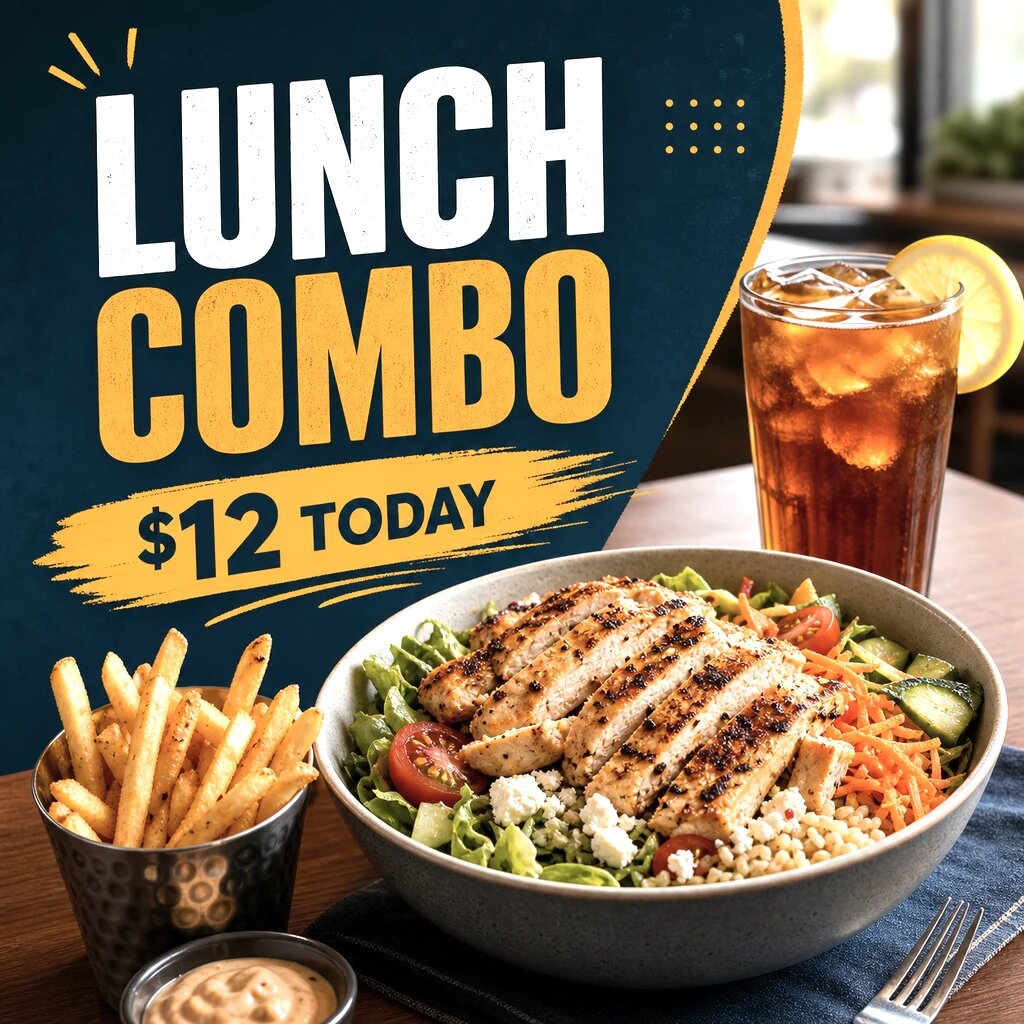
Getting clean, legible text inside an AI image is one of the hardest things to do well, and the model you use matters more than the prompt. Today the strongest results for readable headlines, labels, and logos come from GPT-image-class and Imagen-class models, with Seedream and Flux strong for stylized type. With kublaro, you don't choose — you describe what you want, and Smart Routing sends text-heavy prompts to whichever model renders type best right now.
Why some models render text better than others
Most image models are diffusion-based, and early diffusion treated letters as visual texture rather than language. That's why you get extra strokes, melted serifs, and words like "ESPRESSO" coming out as "ESPERSSO." The models that handle text well share a few traits:
- Character grounding — they were trained to associate the symbol "A" with the letter, not just an angular shape.
- Layout awareness — they understand that words sit on a baseline, in a block, with consistent spacing.
- Higher effective resolution — fine type survives better when the model works at more pixels.
This is also why a logo with a known wordmark can look perfect in one model and broken in another. There's no single permanent champion — the leaders rotate as new models ship — which is exactly why model-chasing wastes your time.
What kublaro routes text-heavy prompts to
kublaro keeps a current lineup of SOTA image models and matches each job to the best fit:
- GPT-image-class and Imagen-class models for prompts with real words, headlines, signage, and accurate spelling.
- Seedream and Flux for stylized or display type, poster art, and branded layouts where the look matters as much as the letters.
- A blend when a prompt mixes a clean photographic subject with a small block of text.
You never have to know which one won this month. Smart Routing reads the prompt, recognizes that text legibility is the priority, and routes accordingly — then keeps the roster up to date as models improve.
How to make legible text in images with kublaro
- Create a free-to-start account at /register and open Text to Image.
- Describe the outcome plainly, and put the exact words in quotes — for example,
a minimalist cafe poster with the headline "MORNING RITUAL" in bold sans-serif. - Keep the text short. Headlines and single labels render far better than paragraphs.
- Let kublaro route the prompt to a text-strong model; generate a few variations.
- Pick the cleanest spelling and layout, then upscale toward 4K if you need print or ad sharpness.
- For products and ads, move into a purpose-built tool below rather than fighting the text in a generic prompt.
Tips that improve text accuracy
- Quote the exact string you want — models follow quoted text more reliably than described text.
- Limit word count. One headline beats a sentence; a tagline beats a paragraph.
- Specify the type style (bold sans, condensed, hand-lettered) so the model commits to a single treatment.
- Generate variations and keep the best — text rendering has run-to-run variance.
- Place long copy yourself. Generate the visual, then set body text in your design tool for guaranteed legibility.
If you want more on prompt structure, the AI Image Prompting Guide covers wording, framing, and negative prompts in depth.
Where text-in-image matters most
Different jobs need text in different ways, and kublaro has tuned entry points for each:
- Ads and social creatives — headlines and CTAs that have to read instantly. Use the AI Ad Creative Generator.
- Thumbnails — bold, punchy overlays that survive at small sizes. Try the AI Thumbnail Maker.
- Product photography — labels, packaging copy, and brand marks that need to stay crisp. Use AI Product Photography.
- General layouts — posters, covers, and concept art via the AI Image Generator.
Each of these routes your prompt to the model that handles that task — and the embedded text — best.
Pricing and commercial use
There's no free tier, but you can start on Starter to evaluate quality. The moment you put generated text in client work, ads, or packaging, you'll want the commercial license, which is included on Pro and above. Pro also unlocks higher generation limits and output up to 4K — useful because legible text depends on resolution. See the full breakdown on pricing.
The short version: stop hunting for "the one model that spells right." Describe the result you want, let kublaro's Smart Routing pick the best text-capable model for that prompt, and keep your attention on the design instead of the leaderboard.
Frequently asked questions
Which AI model is best for text in images?+
There isn't one permanent winner — the leaders for crisp, legible text rotate as new diffusion models ship. The strongest results today come from GPT-image-class and Imagen-class models, with Seedream and Flux close behind for stylized type. kublaro's Smart Routing picks the best-fit model per prompt so you don't have to track the leaderboard.
Why do most AI generators garble text and logos?+
Many diffusion models treat letters as shapes rather than symbols, so they hallucinate extra strokes, misspell words, and warp logos. Text-strong models were trained with better character grounding and layout awareness. kublaro detects text-heavy prompts and routes them to those models automatically.
Can I use kublaro's text-in-image results commercially?+
Yes, on Pro and above. The Pro plan includes a commercial license for the images and video you generate, so you can use them in ads, packaging, and client work. Starter is for personal use and evaluation only.
What resolution can I get for text and logo layouts?+
kublaro supports output up to 4K on supported models, which matters for text because higher resolution keeps small type, taglines, and fine logo edges sharp. You can upscale a clean composition before placing it in a print or ad layout.
Do I have to pick the model myself?+
No. You describe the outcome — a poster headline, a labeled product shot, an ad with a tagline — and kublaro's Smart Routing chooses the model that renders text best for that task, keeping the lineup current as new models launch.
Make it with kublaro
Describe anything and generate stunning images in seconds; then bring them to motion with the best AI video models.