AI Headshot Generator in Vintage Photo Style
Generate an AI headshot with a vintage photo aesthetic — warm magenta and cyan shifts with lifted matte blacks. Name a film stock — Portra 400, Ektachrome, Cinestill 800 — and specify the age, freshly developed vs. 30-year-old fade, for the right patina.
What is vintage photo style?
Aged film aesthetics with grain, faded blacks, light leaks and warm color shifts — the nostalgic look of 35mm film from the 60s to 80s.
Palette: Warm magenta and cyan shifts with lifted matte blacks
Best for: portraits, fashion, social media, album covers, editorial
How to generate ai headshot in vintage photo style
- Create your kublaro account and open the create studio.
- Start with the AI Headshot Generator or write a prompt from scratch.
- Use these prompt keywords to steer toward vintage photo: vintage photo, film grain, faded blacks, light leaks, Kodak Portra, C-41 wash.
- Write a descriptive prompt — subject, composition, palette, and mood. Include the film stock and age you chose above to set the patina.
- Review the model and credit quote, generate a first version, and check its actual dimensions before downloading or printing.
Vintage headshot examples to try
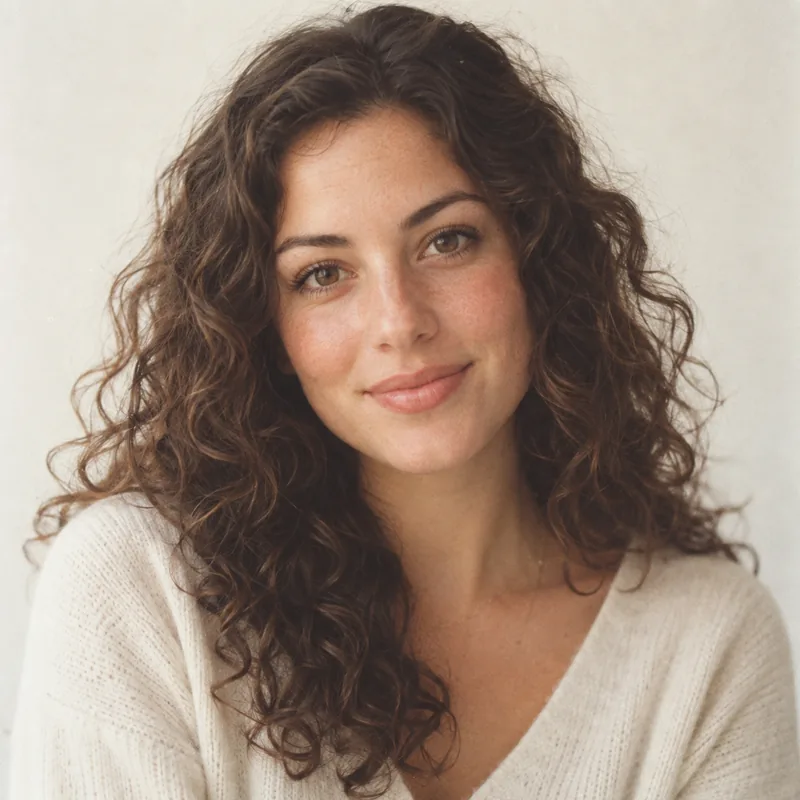
Fresh Portra studio portrait
a portrait in vintage photo style, young woman with soft curly hair, centered studio headshot, Kodak Portra 400, freshly developed, warm skin tones, subtle film grain, faded blacks, soft daylight
Palette: warm magenta / creamy whites — Mood: friendly, timeless — Film: Portra 400, freshly developed
Generated example — illustrative prompt starter.
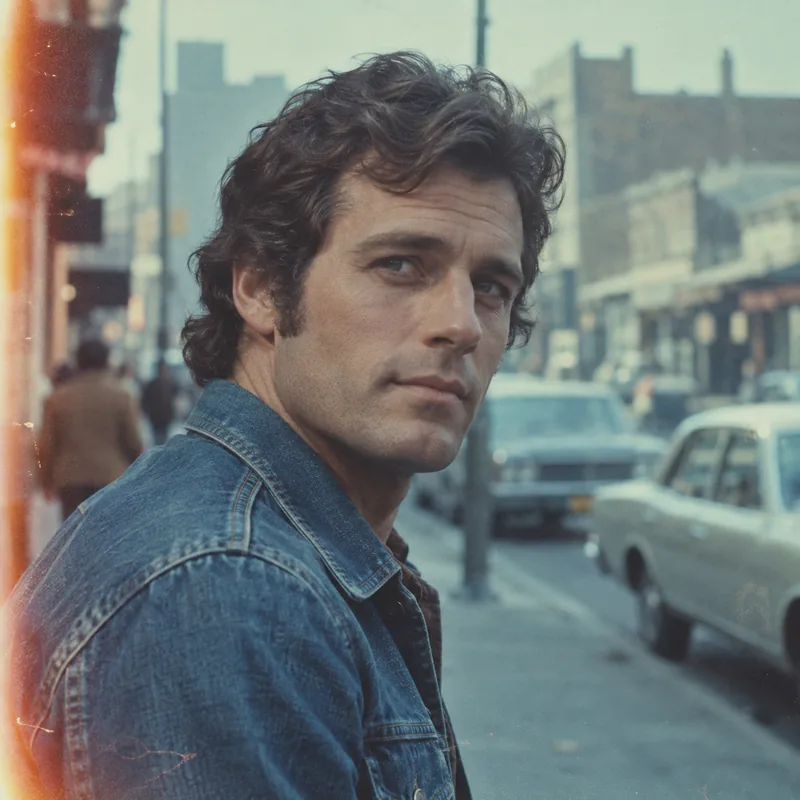
30-year faded Ektachrome
a portrait in vintage photo style, man in denim jacket, three-quarter headshot, Ektachrome, 30-year-old fade, cyan shift, light leak on left edge, matte blacks, blurred 70s street background
Palette: faded cyan / warm highlights — Mood: nostalgic, editorial — Film: Ektachrome, 30-year-old fade
Generated example — illustrative prompt starter.
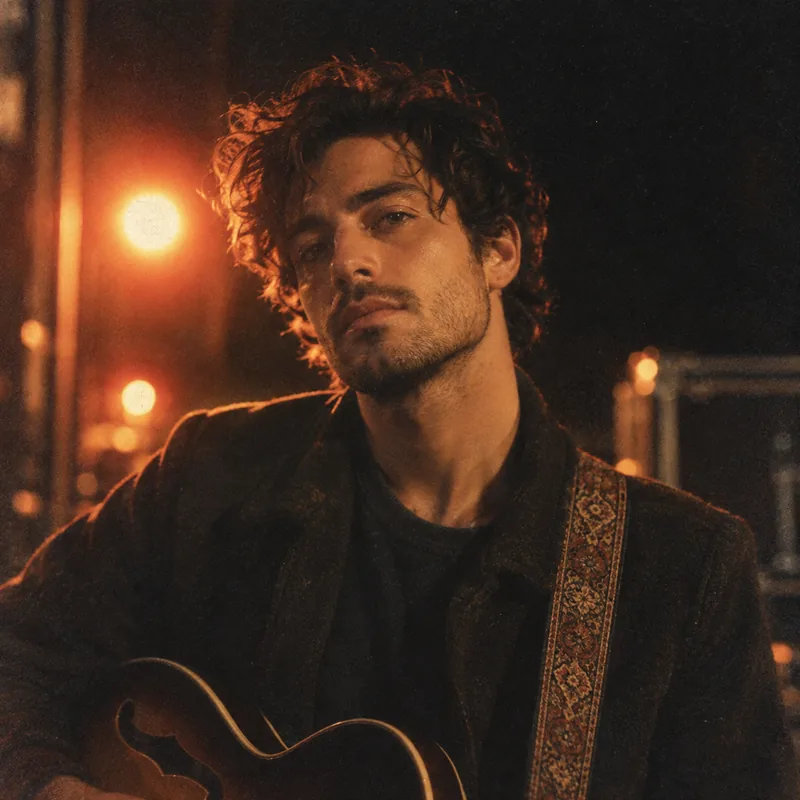
Cinestill night glow
a portrait in vintage photo style, musician portrait, dramatic lighting, Cinestill 800, night tungsten glow, halation, C-41 wash, film grain, dark background
Palette: warm amber / lifted blacks — Mood: cinematic, moody — Film: Cinestill 800, night look
Generated example — illustrative prompt starter.
Prompting tips for vintage photo ai headshot
Name a film stock and specify the age — that choice controls contrast and fade more than any other word. Then add one subject detail and one light detail.
For example: a portrait in vintage photo style, faded blacks, dramatic lighting gives the model a clear direction while leaving room for creative interpretation. Add light leak or C-41 wash sparingly — one effect per prompt keeps faces clean.
Why use kublaro for vintage photo ai headshot
- Choose the model — compare the available model, format and credit quote before generating.
- Review your export — image dimensions depend on the model. The video editor currently exports MP4 at 1280×720, 720×1280 or 960×960.
- Optional image-to-video — the studio lists Hailuo 3 Max Turbo, Kling 3 Pro and Seedance 2.5. Duration, audio and credits depend on the selected model.
- Paid plans — Starter $10/90 credits, Creator $25/240, Studio $50/490 and Agency $100/1,000 per month. Compare the current plans.
- Commercial use — read the current terms and review the rights to your inputs and the intended output.
Start creating ai headshot in vintage photo style
Bring one brief to the studio, review the credit quote and compare your first result against the checks above.