Designing a Recurring AI Brand Mascot People Recognise
A mascot earns its keep when it can appear anywhere — a 32-pixel avatar, a full-page hero, a five-second video bumper — and still be instantly the same character.
21 de setembro de 2026
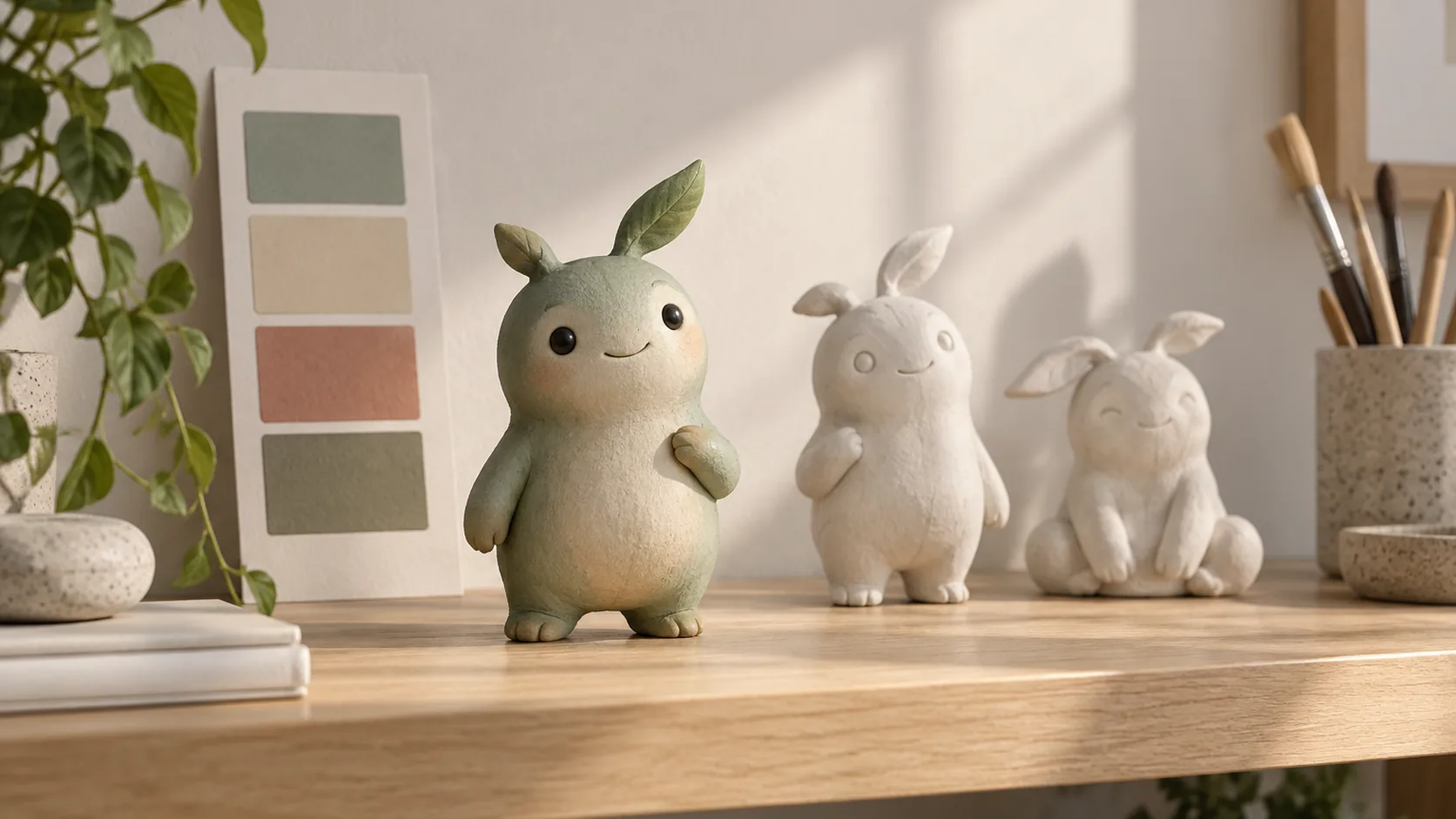
Most brand characters fail for a boring reason: they were designed as a single image instead of as a system. The one hero shot looks great, and then nobody can produce the same character for an avatar, a sticker, a slide or a video bumper. Designing a mascot means deciding, in advance, what stays fixed and what is allowed to change.
Decide what job the mascot does
A mascot that does everything does nothing. Pick a primary job before drawing anything:
- Explain — walks a user through a process or a product
- Host — fronts social posts, announcements and seasonal messages
- Soften — makes a technical or serious product feel approachable
- Unify — gives a multi-product brand one recognisable face
The job determines the design. An explainer mascot needs readable gestures and simple shapes; a host needs expression range and a strong silhouette; a softener needs warmth rather than detail. Write the job down in one sentence and keep it with the design files.
Build the character from brand attributes
Start from three or four attributes you already claim — patient, precise, playful, dependable — and translate each into a design decision:
- Silhouette — rounded or angular, upright or hunched, tall or compact
- Scale cues — big head and small body reads friendly; realistic proportions read capable
- Palette — derived from your existing brand colours so the mascot never looks like a guest
- Signature detail — one identifying element: a shape, a marking, a garment, a tool
One signature detail does more for recognition than ten decorative ones. It is also what survives when the character is rendered in a different style or at a tiny size.
Test at the smallest size first
Design decisions that look refined at full size often disappear at avatar scale. Before approving anything, check the mascot at the sizes it will actually live in:
- 32 pixels — favicon or badge
- 64 pixels — app avatar
- 256 pixels — social profile
- Full width — landing page hero
At 32 pixels, only the silhouette, the palette and the signature detail survive. If the character is unreadable there, simplify the shape rather than adding contrast. This is the same discipline behind a strong logo design: reduce until it still reads, then stop.
Create the character sheet and rule page
Once the design is approved, freeze it. Produce a character sheet with front, three-quarter and profile views in neutral light, plus the palette with material notes and the signature detail called out.
Then write a one-page usage rule set:
- Always: palette, silhouette, signature detail, proportion
- Sometimes: outfit, props, environment, expression intensity
- Never: outline styles that change the silhouette, extra limbs or accessories, unapproved colours, text inside the character
This mirrors the continuity method used for characters across scenes. The difference is that a mascot also has to survive being illustrated by other people, at other sizes, in other formats.
Build a pose library from real needs
Do not generate a hundred poses. Build five, then extend when a genuine use appears:
- Neutral standing — the default
- Greeting — waves, welcomes, announces
- Thinking — supports explainer content
- Celebrating — launches, milestones, wins
- Tight crop — avatars, badges and small placements
Keep each approved pose with its reference and the prompt that produced it. When a new pose is needed, generate from the nearest approved pose instead of from a written description, so the identity carries over.
Keep it original and checkable
Originality is a design requirement, not a legal afterthought. Two habits reduce risk:
- Design from attributes, not references. Use other characters only to test recognisability, never as a source to copy.
- Check the finished design against well-known characters in your category and market before it ships. If a colleague can name a specific existing character on first glance, revise the silhouette or the palette.
Also confirm the commercial terms of whatever tool produced the artwork, and keep the provenance with the files. Ongoing use across advertising and merchandise is exactly the case where licence details matter.
Test recognition before you commit
A mascot either gets recognised or it does not, and that is testable before you invest in a pose library. Run a small recognition check with five to ten people who are not on the project:
- Show the finished mascot for two seconds, then take it away.
- Ask what they remember: shape, colour, what it does, what it might be for.
- Show it again at 64 pixels and repeat.
- Show it beside two competitors' characters and ask which one they would expect from your brand.
If people remember the silhouette and the signature detail, the design is working. If they remember the colour but not the shape, the character is being carried by the palette alone — and palette is the easiest thing for a competitor to echo. If they cannot place it beside competitors, the design is too generic to earn a recurring role.
This is the same principle as scoring a campaign for consistency: replace a feeling with an observation you can act on. The four-criterion method in scoring AI visual consistency adapts directly to a mascot — swap framing for silhouette and judge the same way.
Reuse it without drift
A mascot becomes valuable through repetition, and repetition is where drift starts. Three practical rules keep it stable:
- Generate every new asset from an approved pose rather than from the original text description
- Review new assets in a set against the character sheet, not one at a time
- Version deliberately: a seasonal outfit is a variant, a change to the silhouette is a redesign
Version control matters most here. mascot-v2-summer and mascot-v2 should never be confused, because one is a costume and the other is a new character.
Put the mascot to work
A finished mascot pays for itself across formats: profile avatars, presentation covers, onboarding steps, packaging details, video bumpers and social replies. Because it is a character rather than a logo, it can carry tone — patient in support content, energetic in launch content — while remaining visually identical.
Open the AI character generator, build the reference sheet first, and approve the five core poses before producing anything else. The mascot people recognise is not the one with the best single illustration. It is the one that shows up again and again, looking exactly like itself.
Perguntas frequentes
What is the difference between a logo and a mascot?+
A logo is a mark that must stay identical everywhere. A mascot is a character that can move, emote and hold a scene, so it needs a defined identity plus a range of allowed poses and expressions.
How do I keep a mascot from looking like an existing character?+
Start from your own brand attributes rather than from a favourite character, avoid combining a recognisable silhouette with a recognisable palette from the same source, and check your final design against well-known characters in your market before committing.
Should the mascot be an animal, an object or a person?+
Choose what your brand needs to express. Objects read as product-led and timeless, animals read as friendly and characterful, people read as service-led but carry more identity risk. Draw the choice from your positioning, not from trends.
How many poses do I need before launch?+
Five covers most early needs: neutral standing, greeting, thinking, celebrating and a close crop for avatars. Add poses when a real use appears, not in advance.
Can one mascot work in both images and video?+
Yes, if you lock the design first. Approve the character sheet, animate from approved frames, and review each clip against the reference rather than against the previous clip.
Crie com kublaro
Descreva qualquer coisa e gere imagens incríveis em segundos; depois dê movimento com os melhores modelos de vídeo com IA.