Keeping an AI Character Consistent Across Scenes and Clips
A character that changes between scenes breaks the story before the viewer notices the plot. This is the production discipline that prevents it.
21 de setembro de 2026
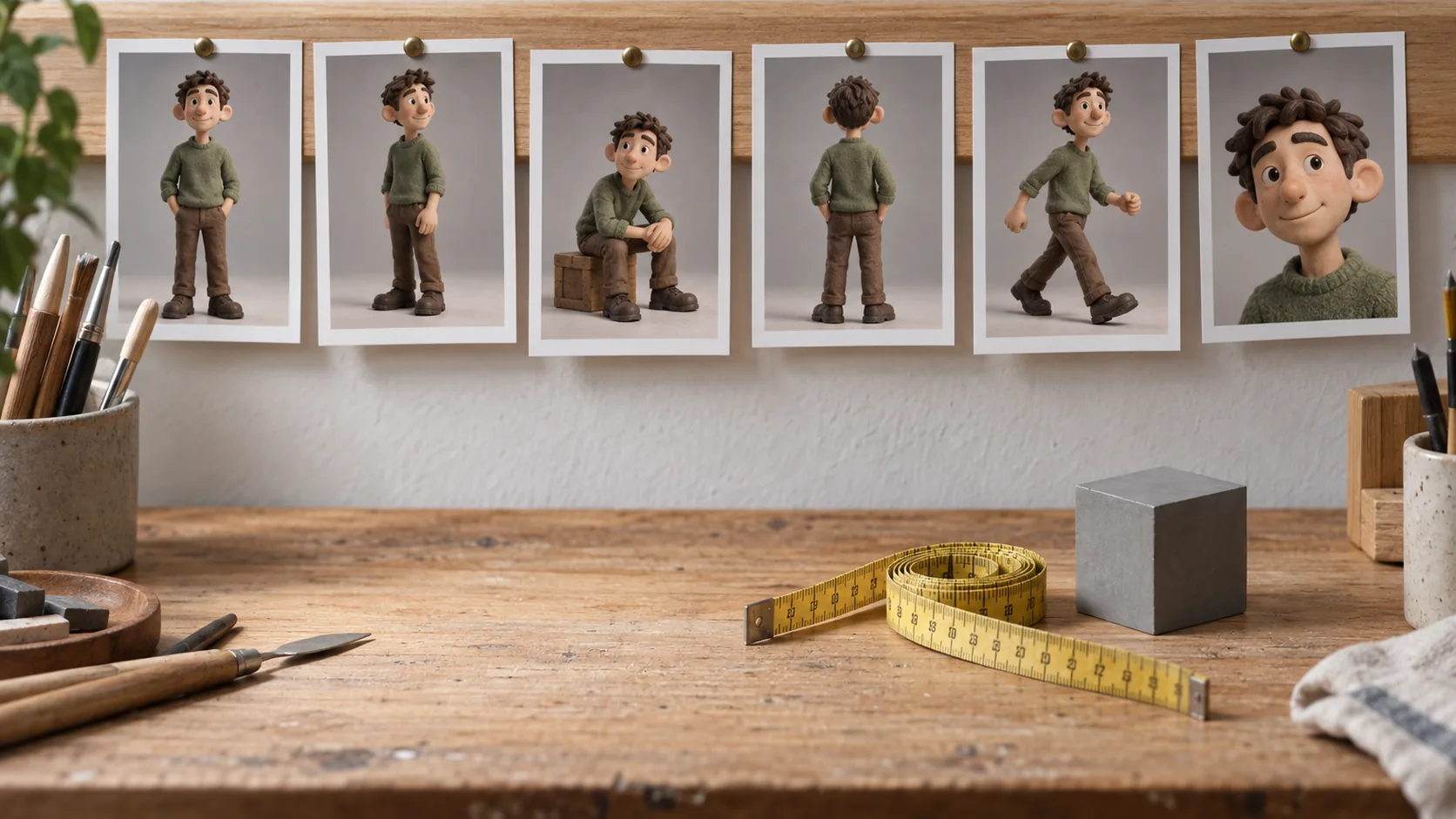
A recurring character is a promise: the viewer agrees to follow one person through a series, and every generation either keeps that promise or quietly breaks it. Drift between scenes is not a rendering defect you fix at the end. It is a production discipline you apply before the first frame is approved.
Separate identity from performance
The mistake that causes most drift is treating a character as a single description. Split it into two layers instead:
Identity — locked for the whole series:
- Face structure, face shape and apparent age
- Hair colour, length and texture
- Skin tone and complexion
- Build and approximate height
- One signature wardrobe element
- Signature accessory or prop, if any
Performance — free to change every scene:
- Pose, gesture and expression
- Camera angle, distance and lens feel
- Location, time of day and weather
- Action and interaction with objects
Identity is what makes the character recognisable. Performance is what makes the series interesting. Drift happens when the model is allowed to improvise inside the identity layer.
Build an approved reference set
Before generating scenes, produce and approve references. Three images are enough for most series:
- Neutral front — even light, relaxed expression, plain background
- Three-quarter — the angle most scenes will actually use
- Profile or action — a second angle that proves the face holds from the side
Then assemble a character sheet: one image showing all three angles side by side. The sheet is the single source of truth for every subsequent generation, and it is what you send to a collaborator instead of three paragraphs of description.
The reasoning behind this is covered in more depth in how to keep AI characters consistent: reference images do more for consistency than any amount of descriptive text.
Write the shot list before generating scenes
Generating scene by scene as ideas arrive is how a series accumulates sixteen slightly different faces. Write the shot list first, with one line per scene:
- Scene: what happens, in one sentence
- Angle and distance: wide, medium, close, over-the-shoulder
- Performance: the pose, gesture or expression that carries the beat
- Identity anchor: the one reference detail that must be visible — a jacket, a hairstyle, a colour
When the list exists, you can generate in a deliberate order and compare like with like. It also exposes scenes that are visually redundant before you spend generations on them.
Change one variable per generation
Working from an approved reference, change one thing at a time: first the pose, then the camera, then the environment. Changing all three at once makes it impossible to tell which change introduced the drift.
This is slower on the first two scenes and much faster afterwards, because you learn which prompt elements actually move the face and which are neutral. Most practitioners find that camera distance and lighting direction affect perceived identity far more than pose does.
Approve stills before animating
Video is where character consistency is easiest to lose. Faces morph slightly across frames, wardrobe details flicker, and light direction can reverse mid-clip. The defence is sequencing: never animate an unapproved still.
Work in this order:
- Generate and approve the still for the scene
- Animate that specific frame, keeping motion modest and motivated
- Review the clip against the approved still, not against your memory of it
Starting from an approved image is also the most reliable route for turning a photo into motion, because the identity is already fixed in pixels rather than described in words.
Review the series, not the clip
Single-clip review hides drift exactly the way single-image review hides colour shifts. Build a contact sheet of every scene in story order, then look at it from a distance. Three defects surface immediately:
- Face drift — the character's apparent age or face width changes between scenes
- Wardrobe drift — the signature element appears, disappears or changes colour
- Light drift — the direction of light flips between consecutive scenes
All three are batch problems with batch fixes. Regenerate the outliers rather than approving a series that is "mostly right", because the viewer's eye is drawn precisely to the frame that does not match.
Write identity into the brief, not the prompt
The character sheet belongs inside the brief you reuse for every scene. That way the identity constraints travel with the job and do not depend on someone remembering to type them:
Subject: the approved character, reference sheet attached
Identity (locked): face shape, hair colour and length, skin tone, build, signature jacket
Performance (free): pose, expression, camera distance, location
Light: soft directional daylight from the left, matched to the reference
Constraints: no change to the silhouette, no new accessories, no text or logos
With the split written down, two people generating different scenes produce frames that belong together. It also makes review mechanical rather than personal — you are checking the locked list, not defending a favourite frame. The general structure is the same one used in the visual brief template, with one extra section for identity.
Keep a continuity log
Write down, per scene: the reference used, the approved still, the final clip, and any identity detail that changed deliberately. Six months later, when a series is extended, the log is what allows a new scene to match the original run without rebuilding the character from memory.
Log deliberate changes separately from defects. A character who cuts their hair in episode four is a story decision; a character whose hair changes length in episode four is an error. The log is what keeps the two distinguishable.
Take one character all the way through
Pick a single character and run the full path once: reference set, character sheet, shot list, stills, animation, contact-sheet review. The friction points show up in the first run and disappear in the second.
Start with the AI character generator, build the sheet, and keep every approved frame together with its reference. Consistency is not a single prompt you finally get right. It is a small set of locked decisions, defended scene by scene.
Perguntas frequentes
Why does my character change between scenes even when I use the same prompt?+
Because a prompt describes a type of person, not a specific one. Every generation re-invents the details you did not anchor. Reference images plus a locked identity list remove that randomness.
What is a character sheet and do I need one?+
A character sheet is one reference image containing the same character shown front-on, in three-quarter view and in profile, in neutral light. You need one as soon as a character appears in more than a single image.
Should I lock the outfit too?+
Lock the outfit when the story is continuous in time. Allow changes between chapters, but keep one signature element — a colour, a shape, a fabric — so the viewer still connects the character instantly.
How do I keep consistency when the character moves in video?+
Approve the still first, then animate that frame rather than generating motion from text alone. Starting from an approved image keeps the face, wardrobe and light stable across a clip.
What is the fastest way to spot drift?+
Build a contact sheet of every scene in story order and look at it from a distance. Framing and palette drift become obvious in a row, while single-image review hides them.
Crie com kublaro
Descreva qualquer coisa e gere imagens incríveis em segundos; depois dê movimento com os melhores modelos de vídeo com IA.